
Article: Professional 3D Scanner Review for Serious Makers
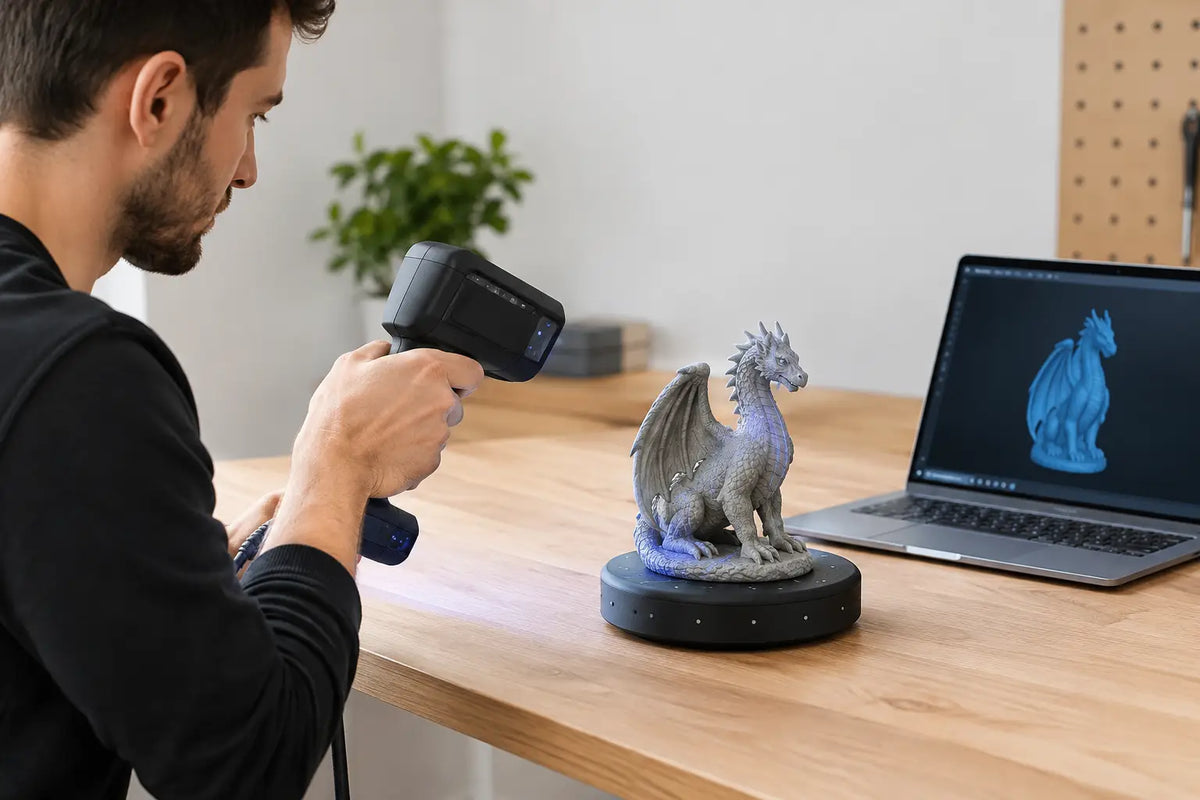
Professional 3D Scanner Review for Serious Makers
A scanner can look exceptional on a spec sheet and still create a frustrating workflow. Lost tracking on a glossy part, unreliable hole geometry, long cleanup sessions, or files that refuse to cooperate with CAD can turn a premium purchase into an expensive detour. This professional 3D scanner review focuses on what separates genuinely capable systems from scanners that are only impressive in a product demo.
For serious makers, engineers, designers, restoration shops, and ambitious creators, the right scanner is not simply the one with the smallest stated accuracy number. It is the one that captures the objects you actually work with, fits your workspace, and produces usable data at a pace that supports real projects.
What Makes a 3D Scanner Professional?
The word "professional" can mean different things across the market. For one buyer, it means scanning custom automotive trim for reverse engineering. For another, it means digitizing a detailed sculpture for a collectible, game prop, or 3D print. A dental lab, a manufacturing team, and a museum conservator may all need high-quality scanning, but their priorities are not the same.
A professional-grade 3D scanner earns that label through repeatable results, controlled data capture, capable software, and a workflow built around more than one ideal object. It should handle multiple scan sessions without constant recalibration, preserve fine features without generating excessive noise, and export files that can move into modeling, inspection, slicing, or visualization software.
This is where enthusiast buyers should be selective. A lower-priced handheld scanner can be a great fit for occasional projects, but it may require more spray, markers, manual alignment, and mesh repair. Those steps are not deal-breakers when you scan once a month. They become costly when scanning is part of your production process.
Professional 3D Scanner Review: The Specs That Matter
Accuracy is only useful when it is repeatable
Accuracy is usually the first specification shoppers compare. It matters, especially for reverse engineering, fit checks, replacement components, and quality control. But a single accuracy figure does not tell the whole story.
Look for the conditions behind the claim. Accuracy can vary by scan mode, working distance, object size, target use, and whether multiple scans have been aligned into one model. A scanner capable of very high detail on a small, matte object may not deliver the same result on a large, dark, reflective panel.
Repeatability often deserves equal attention. If you scan the same functional component twice, can you trust the data to be consistent? For mechanical workflows, reliable repeatability is what makes dimensional data useful rather than merely attractive on screen.
Resolution affects surface detail, not dimensional confidence
Resolution describes the density of captured points or mesh detail. Higher resolution can help preserve engraving, texture, sharp transitions, and organic contours. It is especially valuable for art pieces, figurines, custom grips, historical objects, and design assets destined for rendering or 3D printing.
Still, ultra-dense data is not automatically better. Massive meshes increase processing time and can complicate editing. If your end goal is a replacement bracket or a cleaned-up CAD model, a scanner that delivers orderly geometry may be more valuable than one that captures every minor surface imperfection.
Tracking determines how pleasant the scan feels
Handheld scanners need to know where they are in relation to the object. That is tracking, and it has a major effect on day-to-day usability. Common approaches include geometry tracking, texture tracking, marker tracking, and hybrid systems that combine several methods.
Geometry tracking can work well on objects with distinct shapes, while texture tracking benefits from visible color variation. Marker tracking is often the most dependable option for smooth, symmetrical, or featureless parts, but it adds preparation and cleanup. A professional workflow should give you options instead of forcing every project into a single capture method.
When reviewing scanner performance, think about the objects in your world: a matte 3D-printed enclosure, a black motorcycle fairing, a polished metal tool, a human face, or a carved wood panel. Each presents a different tracking challenge.
Scan volume needs to match your actual work
Small-object scanners can reveal outstanding detail on miniatures, jewelry-sized pieces, and intricate components. Larger-volume systems make more sense for furniture, vehicle parts, full-body scans, and props. Neither category is universally better.
A mismatch creates friction. Using a tiny scan volume on a large item means stitching numerous scans together. Using a wide-area scanner on a small precision part may sacrifice the detail you need. Some professional systems offer multiple lenses, scan modes, or working distances, giving growing studios more flexibility across projects.
The Materials Test: Where Marketing Meets Reality
Most 3D scanning systems prefer matte, light-colored, nontransparent surfaces. Real projects rarely cooperate. Black rubber, clear plastic, shiny metal, deep cavities, and thin edges can all challenge optical scanners.
Scan spray, temporary matte coatings, and positioning markers are standard tools in professional environments, not signs of failure. The question is whether the prep work is reasonable for your project and material. A one-off reverse-engineering job may justify careful preparation. A shop scanning dozens of similar parts each week needs a faster, more repeatable approach.
Color capture is another useful but context-dependent feature. If you are creating digital assets, preserving artwork, or producing a color 3D print, texture quality matters. If you are building a CAD model for a functional part, geometry and dimensional stability matter far more than photorealistic color.
Software Is Half the Purchase
Hardware captures data. Software turns it into a usable result. That makes the software experience one of the most important considerations in a professional 3D scanner review.
Strong scanning software should make it practical to align scans, remove unwanted data, fill small holes, optimize meshes, manage markers, and export common file formats. The best tools also make these steps understandable. A powerful scanner becomes less valuable if the interface turns routine cleanup into a technical obstacle course.
Consider where the scan goes next. Makers who 3D print may need a watertight STL with manageable polygon counts. Designers creating digital content may prioritize OBJ or textured formats. Engineers often need mesh data that can support inspection or be rebuilt in CAD. No scanner produces a perfect parametric CAD model from every object, so plan for reverse-engineering software or manual remodeling when precision features are essential.
Also check practical details before you buy: computer requirements, licensing terms, included software features, export limitations, update history, and the availability of technical support. A future-ready scanner should remain useful as your workflow develops, not become limited by restrictive software after the first project.
Handheld, Desktop, or Fixed: Choose the Right Capture Style
Handheld scanners are the most versatile choice for medium and large objects, irregular shapes, and projects that cannot fit on a turntable. They let you move around the part and capture difficult angles. Their trade-off is operator skill. Consistent movement, stable tracking, and good lighting habits influence the final result.
Desktop or turntable-based scanners excel with smaller parts. They can be easier to operate and deliver consistent coverage when the object fits the scanning area. They are a smart choice for product designers, miniature creators, and small-batch makers who repeatedly scan objects of a similar size.
Fixed or automated systems suit repeat inspection, dedicated workstations, and workflows where speed and consistency outweigh portability. They usually require more investment and space, but they can reduce variation between operators.
The best format depends on your objects, not on which design looks most advanced. A creator scanning cosplay armor has different needs than a machinist capturing a broken legacy component.
Cost Beyond the Scanner
A professional setup includes more than the device itself. Budget for a suitable computer, a stable work surface or tripod, turntable options where appropriate, markers, scanning spray, storage for high-resolution files, and time to learn the process.
Training time is a real cost, but it also creates an advantage. Teams that establish a repeatable scanning process get cleaner data, reduce rescans, and build confidence project after project. Start by testing a few representative items: one simple matte object, one dark or reflective object, one part with fine detail, and one larger item. That small test library quickly reveals whether the system fits your goals.
Premium equipment should feel like an upgrade to your capability, not another gadget waiting for the right weekend. Your Tech Haven is built for creators who value that distinction: technology that earns its place in the workshop, studio, or production space.
A Smarter Way to Make Your Decision
Before choosing a scanner, define the output you need first. If your target is a 3D-printable replica, prioritize clean mesh generation and detail. If you need a part to fit with an existing assembly, prioritize accuracy, repeatability, and reliable alignment. If you are digitizing art or people, prioritize texture, capture speed, and comfortable operation around organic forms.
Then assess the objects you scan most often, including their size, finish, and access to all sides. A scanner that solves 80 percent of your normal work with minimal preparation is usually a better investment than one that claims to solve every possible scenario.
The right professional 3D scanner should make ambitious ideas easier to build, repair, reproduce, and refine. Choose the workflow that keeps your momentum high, and every scan becomes the beginning of your next great project.

