3D Printer vs Scanner: Which Tool Do You Need?
A custom controller grip, a replacement trim clip, a miniature of a favorite collectible, or a prototype enclosure can all start with 3D technology. But the 3D printer vs scanner decision is often misunderstood because these tools solve opposite sides of the same problem. One creates a physical object from a digital file. The other turns a physical object into a digital file.
For a serious home workshop, creative studio, or small business, the right choice depends less on which machine is more advanced and more on where your ideas begin. Do you start with a concept on a screen, or with an object in your hand? That answer can save you from buying impressive hardware that does not fit your actual workflow.
3D Printer vs Scanner: The Core Difference
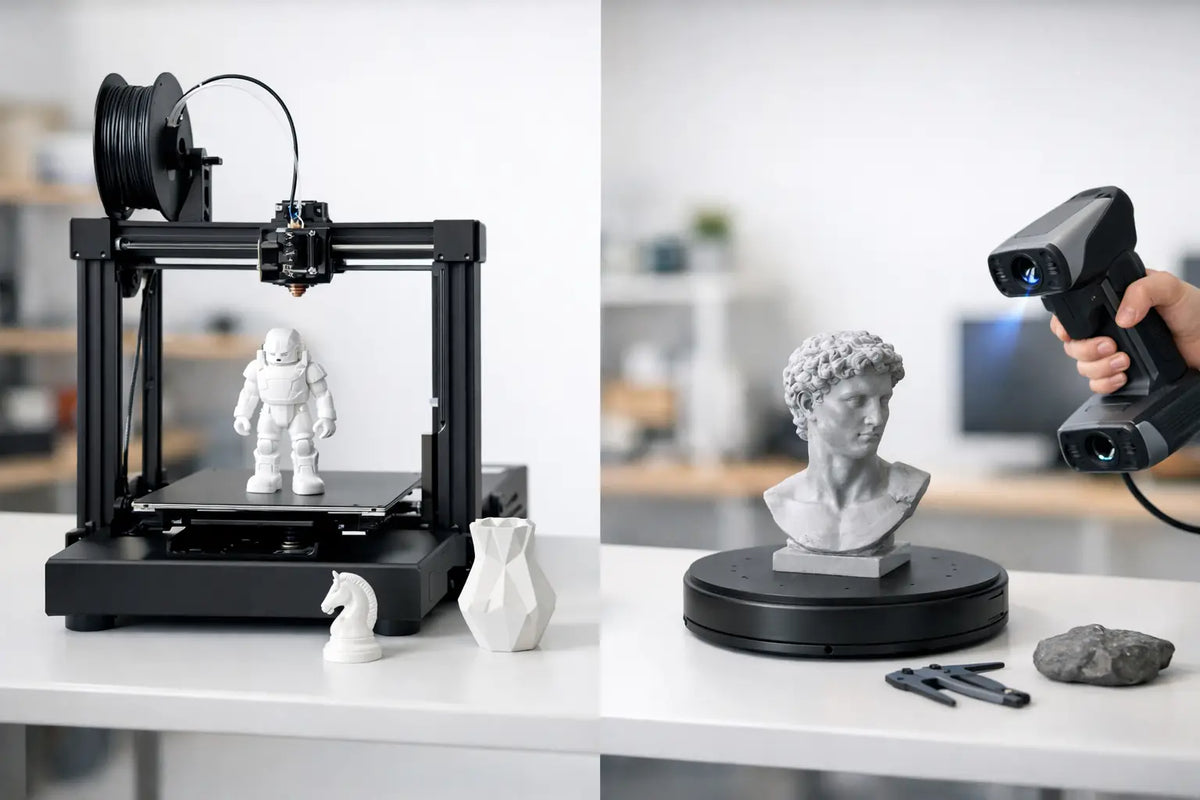
A 3D printer builds an object layer by layer using a digital 3D model. Depending on the printer, that model becomes a part in filament, resin, nylon, carbon-fiber-filled material, or other specialized media. It is a production tool. You use it to move from design to physical result.
A 3D scanner does the reverse. It captures the surface geometry of a real-world item and creates a digital 3D model. Most scanners use structured light, lasers, or photogrammetry to map an object's form. It is a capture tool, especially useful when measuring complex shapes by hand would take too long or lose critical detail.
Neither replaces the other. A scanner cannot manufacture the item it captures, and a printer cannot automatically understand the shape of an existing object. They can work together brilliantly, but they do not have to be purchased as a pair.
Choose a 3D Printer If You Want to Make Things
A 3D printer is the stronger first purchase for most makers. If you want to design functional parts, build cosplay pieces, produce tabletop miniatures, prototype product ideas, or create custom accessories for a gaming setup, a printer gives you immediate creative range.
You can download compatible models, create your own with CAD software, or commission designs when needed. For hobbyists, that means a path to useful projects without needing to learn scanning techniques first. For professionals, it means faster proof-of-concept work, shorter iterations, and the freedom to test an idea before committing to expensive machining or production runs.
The material and print style matter as much as the printer itself. Filament printers are often the practical choice for larger parts, functional prototypes, workshop fixtures, and everyday projects. Resin printers are better known for crisp surface detail, making them a compelling option for miniatures, dental-style models, jewelry concepts, and display pieces.
A printer does ask for some hands-on involvement. Expect to learn about build plates, supports, slicing software, material storage, and occasional troubleshooting. Premium models can reduce the friction with enclosed chambers, automatic calibration, faster print speeds, and better monitoring features, but 3D printing remains a craft as well as a machine process.
A printer is likely your best fit when:
You have ideas to prototype, want to make replacement or custom parts, enjoy model-building, or need physical output for a product, classroom, studio, or workshop. It is also the better choice when your source material is already digital, such as CAD files, game assets, or downloadable designs.
Choose a 3D Scanner If You Need to Capture Reality
A 3D scanner becomes valuable when an object already exists and recreating it from measurements would be slow, difficult, or inaccurate. Think of an automotive interior component with curves in every direction, a collectible figure you want to archive, a human face for a custom prop, or a broken appliance part that needs to be redesigned.
The scanner creates a mesh, which is a digital representation of the object's surface. That scan can be used for reference, reverse engineering, digital archiving, visualization, or editing in 3D software. It can also become the starting point for a future print.
This is where expectations matter. A 3D scan is rarely a perfect, print-ready file straight from the device. Reflective, transparent, very dark, or deeply recessed surfaces can be challenging to capture. You may need scanning spray, better lighting, multiple scan passes, or software cleanup to fill holes and remove unwanted data.
Scanners also vary greatly in what they capture well. A compact handheld scanner may be ideal for small parts, hobby projects, and occasional mobile use. A higher-precision desktop or professional scanner may be better for repeatable inspection, engineering work, dental applications, or detailed objects where dimensional accuracy is non-negotiable.
A scanner is likely your best fit when:
You regularly work from physical objects, need to preserve complex shapes digitally, or want to modify existing components instead of modeling every curve from scratch. It is particularly useful for restorers, prop builders, product designers, automotive enthusiasts, and small shops handling custom-fit work.
When Buying Both Makes Sense
The real advantage of a 3D printer and scanner appears in a closed-loop workflow: capture an existing item, adjust the model, then manufacture a revised version. This setup is powerful, but it is not automatically necessary for every creator.
Consider a motorcycle restoration project. A damaged plastic cover may no longer be available. A scanner can capture an intact matching cover or the surrounding mounting area. You can then repair the digital mesh, redesign weak points, add mounting features, and print a test version. After adjustments, you have a custom replacement built around the real geometry of the machine.
The same idea applies to ergonomic accessories, custom controller mounts, cosplay armor, figurines, game-room upgrades, and product development. Scan a person, object, or surface; refine the data; print a prototype or final piece. The process turns one-off ideas into repeatable digital assets.
Still, start with the bottleneck. If you have plenty of files but no way to make them, buy the printer first. If your work begins with objects you cannot easily model, invest in the scanner first. Buying both at once makes the most sense for a workshop that already has clear scanning and fabrication projects lined up.
What to Compare Before You Buy
Do not compare these categories by price alone. A lower-cost scanner that cannot reliably capture your target objects is not a value. A printer with a large build volume is not automatically the right choice if you primarily make detailed miniatures.
For printers, look closely at build volume, supported materials, enclosure design, speed, resolution, reliability features, software compatibility, and ventilation needs. A larger printer expands the scale of your projects, while an enclosed machine can be beneficial for certain engineering materials and more controlled printing conditions. Also factor in where it will live. Resin printing requires thoughtful handling, washing, curing, and ventilation, while filament printing calls for dry material storage and adequate workspace.
For scanners, focus on accuracy, resolution, scan volume, tracking method, color capture, portability, and software workflow. Accuracy affects how closely the scan matches real dimensions. Resolution affects how much fine surface detail is represented. Both are useful, but they are not interchangeable. A scanner can show tiny texture detail yet still lack the measurement accuracy needed for tight mechanical fits.
Also consider your computer. Scanning and mesh editing can produce large files, especially when capturing detailed items. A capable PC, enough storage, and a willingness to learn the included software will make the experience far more rewarding.
The Software Step Many Buyers Underestimate
Hardware gets the attention, but software determines how far you can take the result. With a printer, slicing software positions the model, creates supports, selects layer settings, and prepares the machine instructions. With a scanner, software aligns scan passes, removes noise, fills gaps, creates a watertight mesh, and exports a usable file.
If you plan to reverse engineer a part, you may need to move beyond mesh cleanup into CAD. A scan can provide an excellent dimensional reference, while the final replacement is rebuilt as a cleaner, more editable model. That extra step is common in professional workflows and worthwhile when tolerances, threads, mounting holes, or durable functional features matter.
The good news is that the learning curve pays forward. Once you understand how to prepare a print or clean a scan, you can apply that skill across projects for years.
A Better First Purchase for Most Tech Creators
For most enthusiast-grade home setups, a 3D printer offers the widest range of immediate projects. It lets you create from original designs and established model libraries, whether you are enhancing a racing simulator, organizing a maker bench, building props, or prototyping the next big idea.
A 3D scanner earns its place when physical objects are central to your process. It is less about making something from nothing and more about giving real-world geometry a digital future. That is an incredible capability, especially for custom work, but it is more specialized.
Your Tech Haven customers often build their spaces around performance, imagination, and gear that keeps opening new possibilities. Choose the tool that removes the biggest obstacle between your idea and the finished result. When that obstacle changes, the second tool will feel like an upgrade with a purpose, not another box waiting for its first project.