How to Build a Makerspace at Home
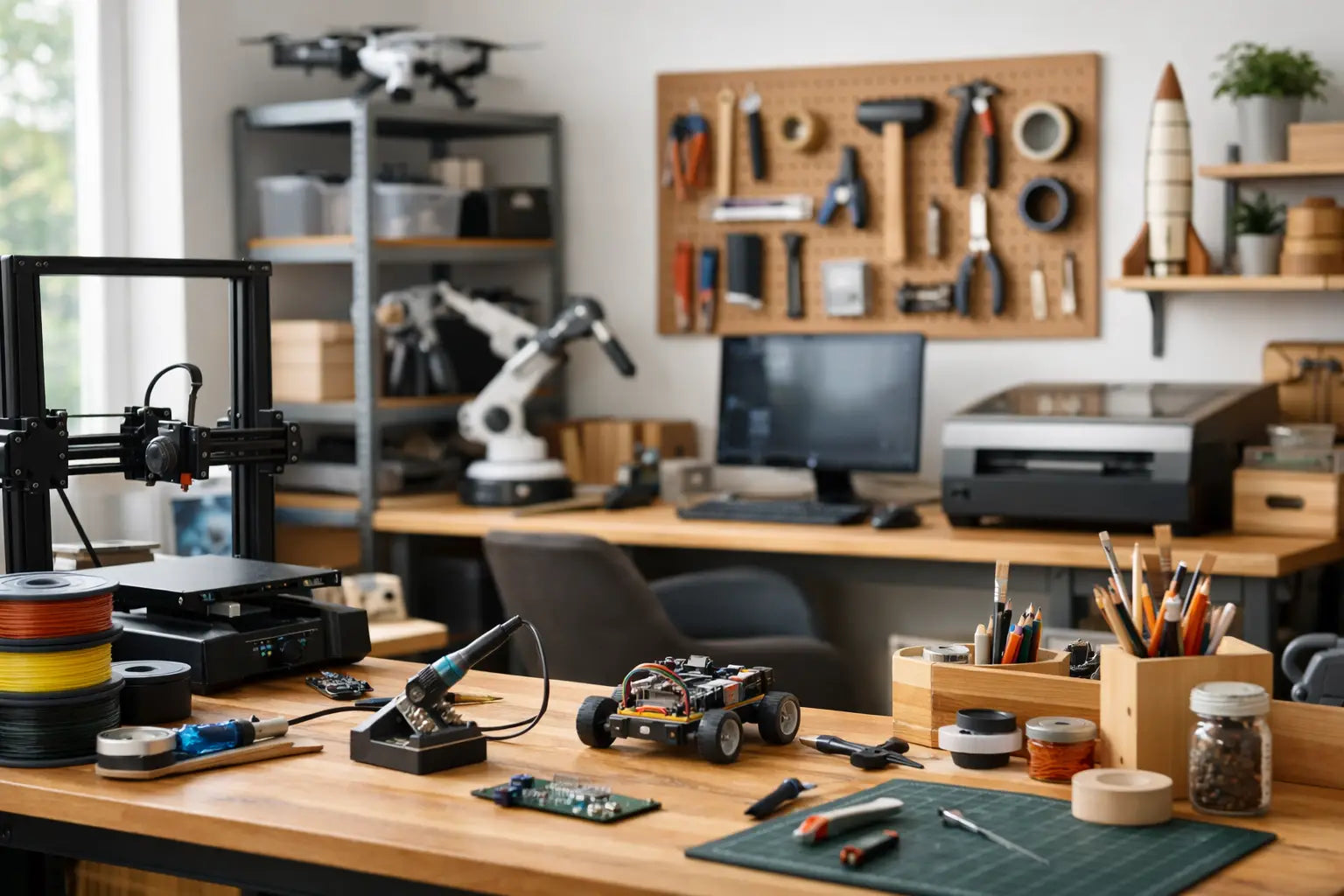
That spare room, garage corner, or finished basement can become a lot more than storage. If you're figuring out how to build makerspace at home, the goal is not to copy a school lab or a commercial workshop. It is to create a high-performance space that fits the way you build, test, print, solder, cut, and experiment.
The best home makerspaces feel personal, efficient, and easy to grow. They support serious projects without turning every session into a cleanup battle. Whether you are getting into 3D printing, electronics, small-scale fabrication, robotics, or creative prototyping, a smart setup gives you better results and makes you want to keep making.
Start with the kind of making you actually do
Before you buy furniture, storage, or machines, define the work your space needs to support. A makerspace built around 3D printing looks different from one focused on soldering, laser-friendly crafting, drone repair, or model making. That sounds obvious, but it is where many setups go wrong. People shop for a dream workshop and end up with a room full of gear that does not match their projects.
Start by answering three practical questions. What do you make most often? What tools do those projects require every week, not once a year? And what processes create noise, dust, fumes, or mess? Your answers shape everything from table depth to ventilation.
If your focus is digital fabrication, you will likely want a stable bench for a 3D printer, nearby material storage, and a clean station for post-processing. If you build electronics, lighting, magnification, anti-static protection, and parts organization matter more than heavy-duty cutting surfaces. If you do a mix of projects, zoning becomes the key move.
How to build makerspace at home without wasting square footage
A great makerspace does not need a huge footprint. It needs clear zones. Even in a single room, dividing the space by activity creates order and keeps your workflow moving.
The clean zone is where you handle laptops, design work, calibration, documentation, and precision assembly. This area should stay free of dust and clutter. The build zone is your main hands-on workbench for tools, prototypes, and active projects. The machine zone is where equipment like 3D printers, scanners, or small fabrication tools live. If you use paints, adhesives, solder, or anything with fumes, create a separate materials and ventilation-aware area whenever possible.
This is where trade-offs matter. In a garage, you may have room for larger machines and stronger ventilation, but temperature swings can affect print quality, adhesives, and material storage. In a spare bedroom, climate control is better, but noise and fumes become more of a concern. There is no perfect answer. The right location depends on what you build and how often you use the space.
A simple rule helps here: keep your most-used tools within one step of your main bench, and keep your highest-mess processes contained. That one shift makes a home setup feel far more premium and practical.
Invest in the workbench before the gadgets
The centerpiece of a home makerspace is not the flashy tool. It is the surface you trust. A shaky desk causes vibration, poor cuts, messy solder joints, and general frustration. A solid workbench with enough depth and load capacity instantly improves the experience.
Look for a bench that can handle your heaviest routine tasks without wobble. If you use a 3D printer, a sturdy platform can reduce vibration and improve consistency. If you assemble electronics or detailed mechanical parts, prioritize a comfortable work height and enough room for tools, components, and task lighting.
Seating matters too, especially if your projects shift between standing and seated work. Adjustable seating can make long sessions more productive, and anti-fatigue mats are worth considering if you spend hours at the bench. Premium spaces are not just about power. They are about staying comfortable enough to do precise work well.
Power, lighting, and airflow are what make the room work
A lot of home workshops look good in photos and underperform in real life because the infrastructure was an afterthought. If you want to understand how to build makerspace at home that feels future-ready, start with electricity, visibility, and ventilation.
Power should be easy to access without relying on a tangle of extension cords. Multiple grounded outlets, surge protection, and smart cable routing keep things safer and cleaner. It also helps to separate always-on equipment from tools you only power during active use.
Lighting should come from more than one source. Overhead lighting gives general visibility, but task lighting at the bench is what helps with detail work, inspections, and accurate color perception. For electronics, model making, and repairs, bright adjustable lighting is one of the best upgrades you can make.
Ventilation depends on your tools and materials. A room with a 3D printer, soldering station, finishing chemicals, or adhesives should not be treated like a basic office. Sometimes a dedicated air purifier and open-air workflow are enough. Sometimes you need localized extraction. It depends on your process, your room, and how often you are working in it. Safety and comfort scale together.
Choose tools in layers, not all at once
The fastest way to overspend is to build your makerspace around every possible future hobby. The smarter move is to build in layers. Start with your core workflow, then add equipment as your skills and project demands grow.
For many home makers, the first layer includes a dependable workbench, precision hand tools, measurement tools, storage for parts and materials, strong lighting, and a machine that opens up capability, often a 3D printer. That gives you a productive base without turning the room into a showroom of underused hardware.
The second layer depends on your direction. You might add a soldering setup for electronics, a 3D scanner for reverse engineering and design capture, rotary tools for finishing work, or a cutting machine for more refined fabrication. If you are building drones, RC systems, or robotics, test gear and component storage become much more important.
The third layer is where specialization happens. This is the stage for premium upgrades, better seating, more advanced printing capabilities, enclosed equipment, higher-end organization systems, and workflow improvements that save time every week. This gradual approach usually leads to a better room and better buying decisions.
Storage should reduce friction, not just hide clutter
Storage in a makerspace is not about making everything disappear. It is about keeping the right things visible, protected, and easy to grab. Drawers are great for tools, but transparent bins, labeled organizers, and wall-mounted systems are often better for small parts and consumables.
Try to store materials near the tools that use them. Filament near the printer. Solder and components near the electronics bench. Adhesives and finishing supplies in a controlled, clearly separated area. If you have to cross the room five times for one task, the layout is slowing you down.
Project storage matters too. Active builds need a place to pause without being dismantled or buried. That can be as simple as stackable trays, rolling carts, or dedicated shelves for works in progress. The best makerspaces support momentum. They make it easy to stop and start again without losing your place.
Safety is part of performance
A home makerspace should feel exciting, but it should also feel controlled. Fire safety, eye protection, ventilation, and material handling are not extras. They are part of building a space you can trust.
Keep a fire extinguisher rated for your environment nearby and easy to reach. Use protective eyewear for cutting, grinding, or any flying debris risk. Store chemicals, resins, blades, and hot tools thoughtfully, especially if kids or pets are part of the household. Even simple habits, like dedicated charging areas and clear cable management, reduce risk.
The upside is not just peace of mind. Safe spaces are easier to use more often. They feel less chaotic, which means you spend more time building and less time managing avoidable problems.
Make room for upgrades from day one
One of the smartest decisions you can make is leaving capacity in the design. That means extra power access, open shelf space, a flexible bench area, and room to expand storage. A makerspace that starts clean and modular can evolve with your projects instead of forcing a full reset every six months.
This is especially relevant if you plan to grow into more advanced gear. Maybe today you need a compact 3D printer and a hand-tool station. Later, you may want a larger-format machine, scanning workflow, or more advanced electronics setup. Future-ready spaces are not packed to the edges on day one.
If you are shopping across categories, a curated retailer like Your Tech Haven can make that process easier because the space often grows in stages, not in one giant purchase. The right products should work together and support the way you want to create at home.
A home makerspace does not need to look industrial to perform at a high level. It needs to fit your projects, your room, and your ambition. Build it so it works well now, leave space for where your skills are headed, and let the room become a place that keeps pulling you back to make the next thing.