Best Laser Engraver for Beginners in 2026
The first bad laser engraver experience usually happens before the machine even turns on. A beginner buys based on wattage alone, skips ventilation, opens the software, and suddenly realizes they are juggling materials, settings, focus, and safety all at once. If you are looking for the best laser engraver for beginners, the real goal is not buying the most powerful machine. It is finding one that helps you get clean results early, learn without frustration, and still gives you room to grow.
That matters because laser engraving sits in a sweet spot for makers, small business owners, and tech-forward hobbyists. It can personalize gifts, brand packaging, prototype products, and turn a home workshop into a serious creative setup. But beginner-friendly does not mean toy-like. The right machine should feel accessible on day one and still capable six months later when you are engraving tumblers, cutting wood, or building products to sell.
What makes the best laser engraver for beginners?
A beginner machine should reduce complexity without stripping away control. That starts with setup. If assembly takes hours, alignment is finicky, and calibration feels like a science project, many first-time users never get to the fun part. The best entry point is a machine with a straightforward setup process, stable frame, clear instructions, and software that does not feel like industrial engineering software disguised as a hobby tool.
Safety is just as important as ease of use. A good beginner laser engraver should make safe operation easier, not leave it entirely up to the user to figure out. Features like an enclosed design, emergency stop button, flame detection, motion sensors, and reliable ventilation compatibility matter a lot more than flashy marketing. Open-frame machines can be tempting because they often cost less and look approachable, but they ask more from the user in terms of eye protection, workspace control, and smoke management.
Then there is software. This is where a lot of buying decisions should be made. A laser can have excellent hardware and still be a poor beginner choice if the software is clunky or the learning curve is steep. New users benefit from intuitive controls, strong file compatibility, preset libraries, camera positioning, and support for popular programs. Good software shortens the gap between idea and finished result, which is exactly what keeps beginners engaged.
Choosing the right type of beginner laser engraver
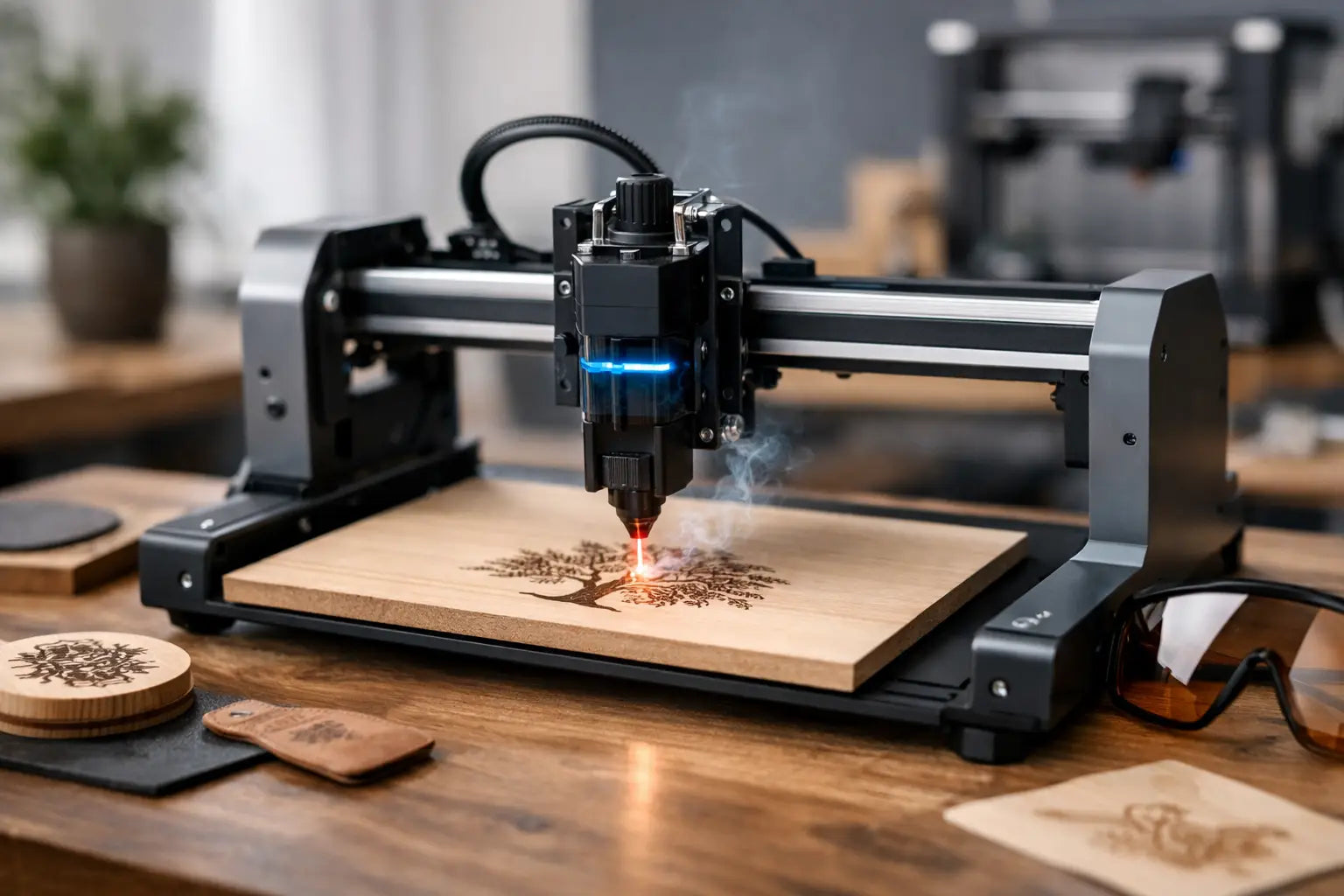
Most first-time buyers end up deciding between diode and CO2 lasers. For beginners, diode machines are often the easier starting point. They usually cost less, handle engraving on wood, leather, coated metals, acrylic in some cases, and many craft materials, and they fit more comfortably into a home workshop or studio. They are a smart match for people making signs, gifts, branded items, ornaments, wallets, and hobby projects.
CO2 lasers offer more cutting power, faster speeds, and broader material compatibility, especially for clear acrylic and more demanding workflows. The trade-off is that they are usually larger, more expensive, and a bit more involved when it comes to maintenance and setup. If your goal is to build a side business quickly or produce a higher volume of polished products, a beginner-friendly CO2 unit can make sense. If you mainly want to learn, experiment, and personalize products without turning your workspace into a mini production floor, diode often wins.
For most new buyers, that means the best laser engraver for beginners is not necessarily the biggest or strongest machine on the market. It is the one that matches your first six months of real use.
Features worth paying for and features you can skip
It is easy to get pulled into spec-sheet shopping. More power, higher speed, larger work area. Those are useful, but beginners tend to get more value from convenience features than extreme specs.
A camera system, for example, can be more helpful than a small bump in wattage. Being able to place a design accurately on a coaster, notebook, or pre-cut product saves material and lowers frustration. Autofocus is another feature that sounds minor until you use it repeatedly. It helps remove one of the small errors that can ruin engraving quality.
Air assist is close to essential. It improves cut quality, reduces scorching, and gives cleaner edges on many materials. Better exhaust and filtration support also matter from the start. The laser itself may be exciting, but the smoke is what makes a machine feel inconvenient if your setup is not handled correctly.
On the other hand, ultra-large bed sizes are often unnecessary for a first machine unless you already know your project type demands them. The same goes for chasing top-end speed numbers. Beginners usually benefit more from consistency than maximum throughput.
Best laser engraver for beginners by use case
The right choice depends on what you want to make. If your focus is crafts and personalization, look for a compact diode machine with easy software, decent working area, and strong community support. This setup is ideal for wood ornaments, leather patches, home decor, and custom gift products.
If you want to sell products, especially signage, branded accessories, or batch-produced items, it is worth stepping up to a more refined system with enclosure, camera assistance, rotary compatibility, and stronger support for repeatable workflows. A machine that feels slightly more advanced but still beginner-friendly can pay off quickly if it helps you move from hobby to small business.
If your target is classroom, family, or shared creative use, enclosure and safety systems should move to the top of the list. A lower-stress user experience matters more than raw cutting ability. In these environments, clear operation and predictable results are the real premium features.
Common mistakes first-time buyers make
One of the biggest mistakes is underestimating the full setup. The laser is only part of the purchase. You may also need ventilation, a rotary attachment, material packs, honeycomb bed, cleaning tools, and software familiarity. That does not mean the category is hard to enter. It means the smartest buyers think about the entire workflow, not just the machine.
Another common mistake is buying for imaginary future projects instead of current ones. If you have never engraved before, do not choose a machine based on the possibility that one day you might run a high-volume acrylic business. Buy for the projects you are actually ready to make now, then leave some room to grow.
There is also a tendency to confuse beginner-friendly with cheap. A very low-cost laser can become expensive fast if the software is frustrating, the frame is unstable, or support is limited. For a premium-tech customer, value comes from reliability, support, and a smoother learning curve, not just the lowest price tag.
How to evaluate a machine before you buy
Start with materials. Make sure the laser can handle what you want to engrave or cut most often. Then look at safety and workflow. Is it enclosed? Does it support ventilation easily? Is there air assist? Does the software look intuitive enough that you would actually enjoy using it?
Next, check expandability. A beginner machine with rotary support, upgrade paths, or broader software compatibility can stretch your investment much further. You do not need a fully industrial setup, but you do want a system that will not feel boxed in after a few successful projects.
Finally, consider support and buying confidence. For many shoppers, especially those building out a creative workspace with multiple premium tools, retailer experience matters. Free shipping, secure checkout, and accessible support reduce friction and make a technical purchase feel far more approachable. That is part of what turns a machine from intimidating equipment into a future-ready addition to your setup.
So what should most beginners actually buy?
For most people, the sweet spot is a beginner-focused diode laser from a recognized brand with an enclosed or enclosure-ready design, good software, air assist, and enough workspace for common craft and product projects. That combination gives you a lower barrier to entry, strong creative flexibility, and fewer headaches during setup.
If you are more ambitious from the start and know you want to produce polished items for sale, a beginner-accessible CO2 machine may be the better fit, provided you have the budget and space for it. It asks more from you upfront, but it also opens the door to faster production and more advanced material handling.
At Your Tech Haven, that is the lens worth using when you shop premium creative gear. Do not buy the machine that sounds the most impressive in a vacuum. Buy the one that makes you want to start creating this weekend and still feels like a smart piece of your workspace a year from now.
The best beginner laser engraver is the one that turns curiosity into momentum without making every project feel like troubleshooting.