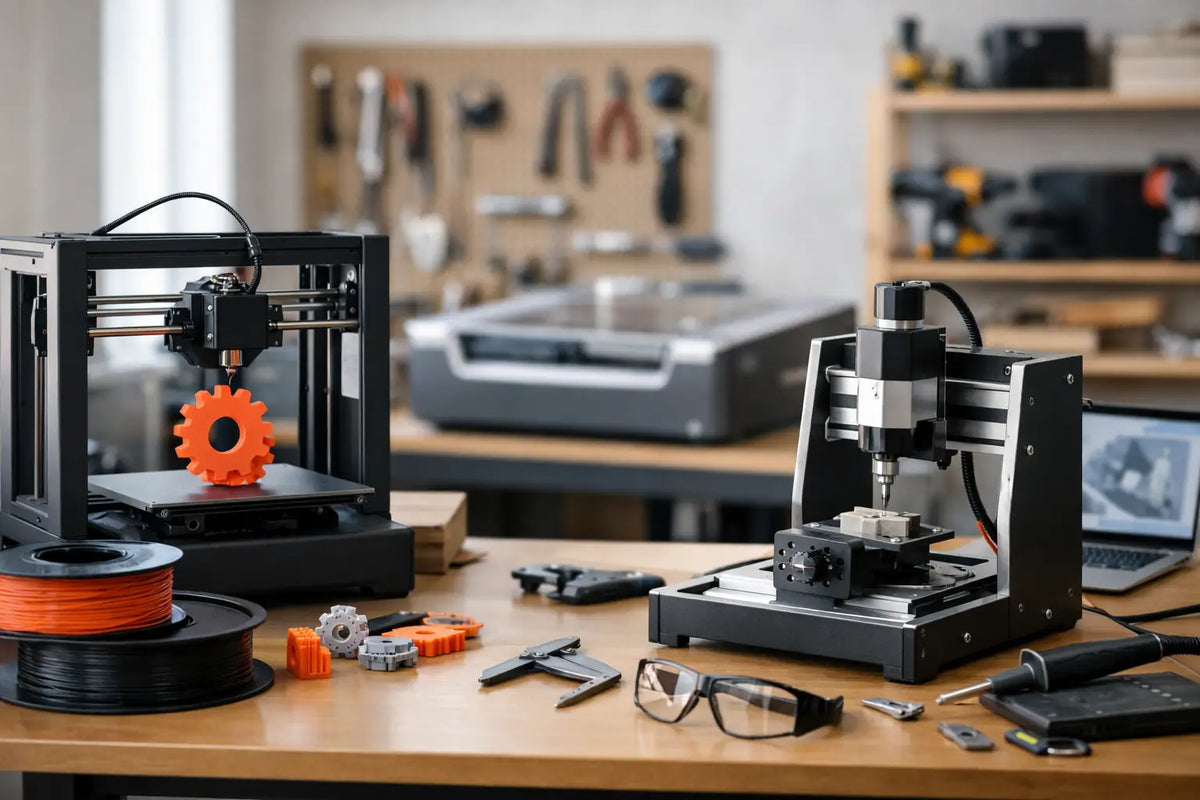
Makerspace Tools for Small Business Growth
A small workshop can become a serious revenue engine when it is built around the work customers will actually pay for. The right makerspace tools for small business owners do more than look impressive on a bench. They shorten turnaround times, make custom work repeatable, and let a founder test new product ideas without committing to a large production run.
For a product designer, maker, repair specialist, or creative service business, the goal is not to buy every machine available. It is to create a capable production cell: one that turns digital concepts into finished, sellable results with fewer handoffs, less wasted material, and more control over quality.
Start With the Revenue Model, Not the Tool List
A makerspace can support very different businesses. A 3D printing shop may sell prototypes to local engineering teams, replacement parts to consumers, and small-batch products through an online storefront. A design studio may use a 3D scanner to capture an object, refine its geometry, and produce a custom-fit component. A signage or personalization business may focus on engraving, cutting, and finishing.
Those workflows call for different investments. Before selecting equipment, define what leaves your workspace, who buys it, and what they expect. If customers need one-off prototypes in 48 hours, speed and reliable material handling matter more than a large build volume. If you are selling repeat orders of a premium product, consistency, post-processing capacity, and documented quality checks deserve more attention.
A useful question is: where does money get delayed in the current process? It may be outsourced prototyping, manual measurements, slow revisions, or inconsistent finishing. The best first machine removes that bottleneck.
The Core Makerspace Tools for Small Business Production
For many modern product businesses, 3D printing is the center of the workspace because it makes iteration affordable. But a productive setup is rarely just a printer. It is a connected system of design, capture, fabrication, finishing, and inspection.
3D Printers for Prototypes and Short Runs
A quality 3D printer gives small businesses the freedom to test, revise, and produce without waiting on a contract manufacturer. FDM printers are a strong choice for functional prototypes, fixtures, jigs, replacement parts, and durable consumer goods. They generally offer practical material options and economical operation, especially when a business needs larger parts or repeated runs.
Resin printers are often better suited to highly detailed models, miniatures, dental-style applications, jewelry patterns, and parts where surface finish is the priority. Their trade-off is a more involved workflow. Washing, curing, ventilation, personal protective equipment, and resin handling are not optional details. They are part of the production cost and floor plan.
For either technology, prioritize reliability over headline specifications. Features such as material monitoring, enclosed print chambers, automatic bed leveling, remote status tracking, and proven compatibility with engineering-grade materials can have a bigger impact on profitability than a few extra millimeters of build volume. One dependable printer that runs daily is more valuable than a bargain machine that demands constant calibration.
3D Scanners for Faster Custom Work
A 3D scanner can turn real-world geometry into a digital starting point. That is powerful for reverse engineering, restoration work, custom accessories, fit testing, and replacement components for products with no available CAD file.
The scanner does not eliminate design work. Scan data often needs cleanup, alignment, mesh repair, and dimensional verification before it becomes production-ready. Still, it can reduce the time spent measuring complex shapes by hand and make custom projects more accurate from the first revision.
Resolution is only one buying factor. Consider the object sizes you plan to capture, surface types, portability needs, and software workflow. Shiny, transparent, black, or deeply recessed surfaces can require preparation or a scanner designed to handle challenging materials. A scanning workflow is a smart investment when it replaces repeated trial-and-error, not simply because it adds another impressive capability.
Laser, CNC, and Cutting Equipment
Laser engravers and cutters can expand a product line quickly with personalized goods, branded packaging, signage, templates, and decorative pieces. CNC machines add a path to machining wood, plastics, aluminum, and other materials for prototypes, furniture components, tooling, and polished final products.
These tools reward disciplined setup. Material compatibility, dust extraction, fire safety, workholding, software, and operator training all affect results. A laser may be an excellent first expansion for a business selling customized items, while a CNC machine can make more sense for a shop producing functional components that need stronger materials or tighter tolerances.
Avoid choosing based on the machine alone. Calculate the full footprint: ventilation, collection systems, replacement consumables, finishing area, and safe clearance around the equipment. The purchase price is only one part of ownership.
Build the Supporting Workflow Around the Machine
The work after fabrication often determines whether a customer sees a prototype or a premium product. A clean, organized post-processing station protects quality and helps a small team keep promises on delivery dates.
For 3D printing, that may include filament drying and storage, deburring tools, sanding supplies, thread inserts, adhesives, heat-set tools, and a dedicated space for assembly. Resin workflows need separate wash and cure equipment, labeled containers, spill management supplies, and proper waste procedures. For laser and CNC work, plan for edge finishing, clamping, measurement tools, and material storage that keeps sheets and stock protected.
Inspection deserves a place in the layout as well. Digital calipers, gauges, test fixtures, scales, and a simple photo area help standardize quality checks. If a part must fit another component, test the fit before it reaches a shipping box. If color or surface finish is part of the promise, document an approved sample so every future order has a clear reference.
Choose Equipment That Fits Your Volume
It is tempting to buy for the business you hope to become in three years. Sometimes that is the right move, particularly when a higher-end machine prevents downtime or supports a material requirement your customers already need. More often, buying too much capacity too early creates a costly distraction.
Start with a realistic weekly volume. Estimate how many machine hours each order consumes, then add time for setup, failed prints, finishing, maintenance, and customer communication. A printer that appears capable of running around the clock still needs human attention and a margin for surprises.
When demand grows, adding a second proven machine can be smarter than replacing a working first machine. Multiple units create redundancy, allow different materials to run at once, and reduce the risk of a single equipment failure stopping every order. On the other hand, a larger or more automated machine may be the better choice when setup labor is the constraint. The right answer depends on whether your bottleneck is capacity, operator time, material capability, or quality consistency.
Design a Safer, More Efficient Space
A high-performance makerspace should feel organized before a machine powers on. Separate clean design and packing tasks from dusty, hot, or chemical-intensive fabrication tasks. Keep frequently used tools within reach, label materials clearly, and create an obvious path from incoming materials to production, finishing, inspection, and shipping.
Ventilation is especially critical for processes involving resin, laser cutting, adhesives, paint, dust, or fumes. Follow the manufacturer’s requirements, use appropriate personal protective equipment, and understand local rules for waste handling and fire prevention. Safety systems may not be the most exciting line item in a budget, but they protect people, equipment, inventory, and the business itself.
Reliable power and network access matter, too. Surge protection, backup planning for important files, and a clear method for tracking job status can save a surprising amount of time. As orders increase, a simple digital queue with material, deadline, machine, and finishing notes keeps urgent jobs from becoming chaotic.
Make Every Tool Earn Its Place
The strongest makerspaces are not crowded with gadgets. They are intentionally equipped to make products customers value. Track the basics for each service or product line: material cost, machine time, labor, failure rate, finishing time, shipping requirements, and profit per order. That data reveals which tools are driving growth and which capabilities are only occasional requests.
It also gives you confidence when pricing custom work. A customer is not only paying for grams of filament or minutes of laser time. They are paying for design judgment, equipment access, iteration, finishing, reliability, and the ability to get a specialized result without building the workflow themselves.
Your Tech Haven is built around that kind of future-ready capability: technology chosen for creators who want to turn ambitious ideas into real, high-quality experiences. Build your makerspace one profitable workflow at a time, and every new tool can become more than equipment. It can become the next service, product line, or customer relationship that moves your business forward.