Home Racing Simulator Setup Guide for Better Laps
A great sim rig does more than look impressive in a game room. It gives you repeatable braking, clear visual reference points, and the physical confidence to push for the next tenth. This home racing simulator setup guide focuses on the decisions that make the biggest difference: choosing a stable foundation, matching controls to your goals, and building a space you will actually want to use.
The best setup is not automatically the most expensive one. A dedicated GT racer may value a rigid aluminum cockpit and load-cell pedals, while someone who shares a living room may get more value from a foldable frame and a well-chosen direct-drive wheel. Start with your space, preferred racing style, and upgrade path. Then build outward.
Home Racing Simulator Setup Guide for Your Space
Before comparing wheelbases or ultrawide monitors, measure the room. A fixed cockpit commonly needs about 5 to 6 feet of length once you account for the seat, pedal deck, display position, and room to get in and out. Width varies, but 2.5 to 3 feet is a comfortable planning range. If you are adding triple monitors, leave more room for screen arms and viewing distance.
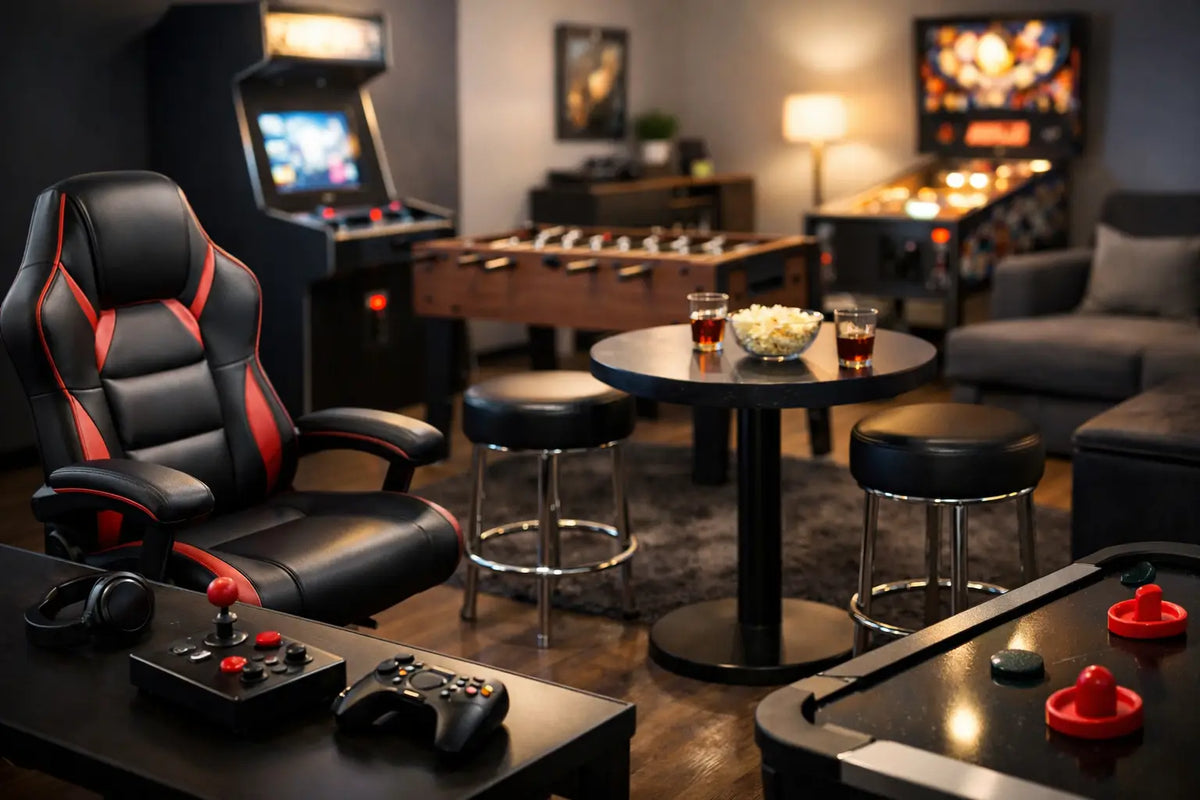
Think about how the rig will live in the room. A dedicated game room can support a full cockpit with a mounted display, cable routing, speakers, and accessories. A shared office or media space needs a cleaner compromise. Foldable wheel stands, compact cockpits, and single-screen layouts can deliver serious driving without turning every evening into a furniture move.
Flooring matters more than it seems. Thick carpet can make a wheel stand or pedal set shift under hard braking. A low-profile mat or a rigid platform helps protect the floor and gives the rig a more planted feel. For hardwood or tile, use protective pads under contact points and make sure the seat does not roll backward when you hit the brakes.
Choose the Cockpit Before the Accessories
The cockpit is the chassis of your home simulator. If it flexes, twists, or slides, expensive controls cannot perform at their best. A stable frame lets you apply consistent pedal pressure and makes strong force feedback feel informative rather than distracting.
Wheel stands are the practical starting point for smaller spaces. They are portable, less expensive, and compatible with many entry and mid-level wheel systems. Their limitation is stability. They can work well with moderate force feedback and standard pedals, but aggressive braking and higher-torque wheelbases may reveal movement in the steering deck or pedal plate.
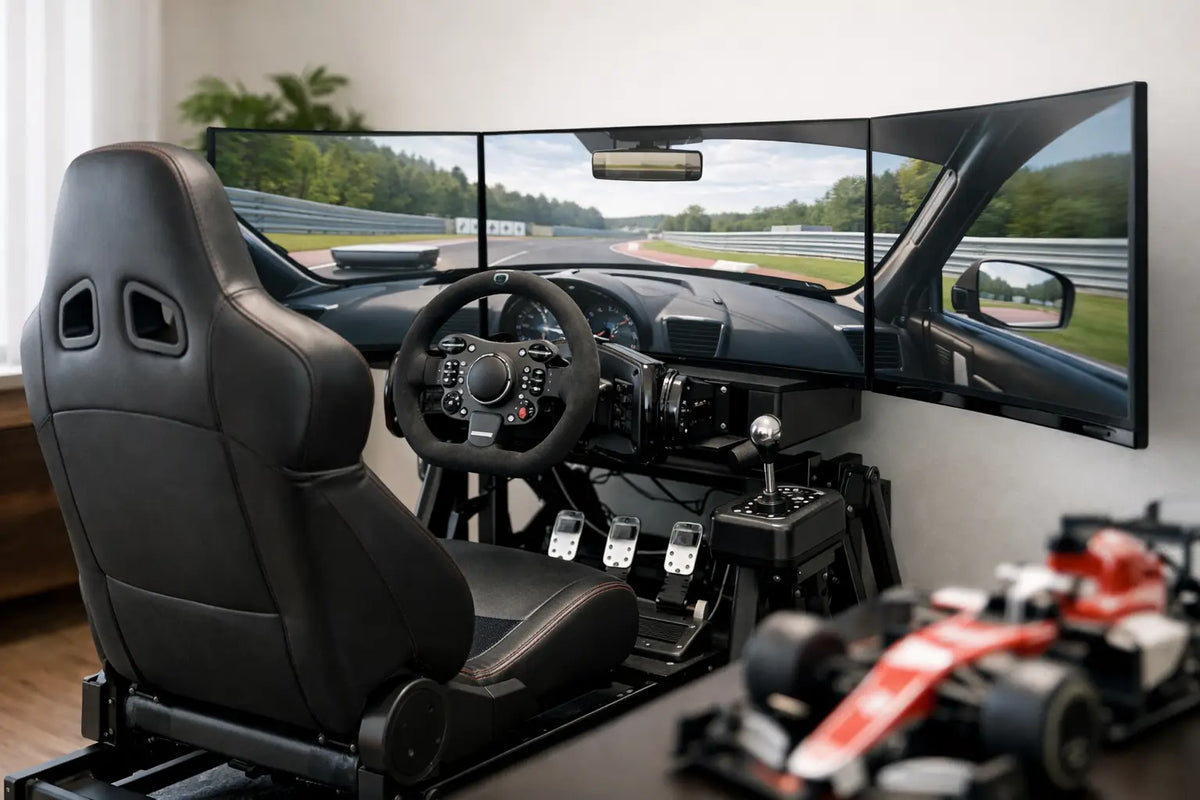
A fixed tubular cockpit is a strong choice for drivers who want an integrated seat and a more permanent experience. These rigs balance rigidity, comfort, and a finished game-room look. They are especially appealing for GT, road racing, rally, and casual endurance sessions.
Aluminum profile cockpits are built for customization. They offer exceptional rigidity and make it easier to adjust pedal position, wheel height, shifter mounts, monitor stands, keyboard trays, and future accessories. They require more planning and assembly, but they are the right long-term platform for high-end direct-drive systems, heavy braking, and a growing simulator ecosystem.
Do not overlook the seat. A racing-style seat should support your back without forcing your shoulders forward. Reclining seats offer flexibility for households with multiple drivers, while fixed bucket seats provide more lateral support and a more locked-in driving position. Comfort is performance during a 90-minute race.
Pick Controls That Match How You Race
Your wheelbase, wheel rim, pedals, and shifter define how the simulator communicates with you. Compatibility should be your first check. Confirm that your chosen equipment works with your PC, PlayStation, Xbox, or the platform you plan to use most. Console ecosystems can have stricter requirements than PC setups.
Gear-driven wheels are approachable and capable for casual racing, but they may feel less refined when the wheel changes direction quickly. Belt-driven systems are smoother and often offer a noticeable jump in detail. Direct-drive wheelbases place the motor directly on the steering shaft, producing faster, stronger, and more precise force feedback. They are a premium investment, and they benefit from a cockpit built to handle the torque.
A higher force setting is not always better. The goal is to feel tire load, road texture, curb strikes, and the start of a slide without clipping the important detail into one constant heavy pull. Start at a manageable setting and tune upward as your technique develops.
Pedals deserve at least as much attention as the wheel. Basic pedals measure travel, so braking is based largely on how far the pedal moves. Load-cell pedals measure pressure, allowing you to build braking muscle memory much like you would in a real car. They can be transformative for consistency, but they need a stable pedal mount and may feel firm at first.
If you race modern GT cars, open-wheel cars, or road cars, paddle shifters may be all you need. A separate H-pattern shifter adds drama and involvement for classics, touring cars, and street-focused driving. Rally fans may also appreciate a sequential shifter and handbrake. Buy these around the racing experiences you genuinely enjoy, not just to fill every mounting point.
Build a View That Helps You Drive
A single monitor is the simplest way to get started, and a large display can feel remarkably immersive when positioned correctly. Place it as close as practical without limiting access to the wheel or causing eye strain. The screen should sit near eye level, with the virtual horizon naturally in front of you rather than above or below your sightline.
An ultrawide monitor expands peripheral vision without the complexity of multiple displays. It is a compelling middle ground for drivers who want a broader cockpit view and a clean, premium setup. Triple monitors offer the strongest wraparound visual reference for many sim racers, especially in close battles where side-by-side awareness matters. They demand more desk space, more graphics power, careful alignment, and a cockpit or monitor stand that keeps everything fixed.
Virtual reality delivers the deepest sense of scale. You can look toward an apex, judge elevation changes, and feel the size of the car around you in a way flat screens cannot fully replicate. The trade-off is comfort, headset fit, PC performance, and the fact that reaching for a keyboard, button box, or drink becomes less convenient. VR is outstanding for immersion, but it is not automatically the best choice for every driver.
For any display, prioritize a stable frame rate over visual settings that look impressive in screenshots. Smooth motion and low input lag make it easier to catch slides, brake consistently, and trust what you see.
Set Your Driving Position Before Your First Race
An uncomfortable seating position creates fatigue and bad habits. Set the seat so your knees remain slightly bent at full brake pressure. Your shoulders should stay against the seatback as you turn the wheel, and your elbows should retain a relaxed bend rather than locking out.
Position the wheel close enough that you can rotate it without reaching. The center of the rim should generally be around chest height, not down at your lap like a desk-mounted controller. Adjust the pedal angle and distance until your right foot can move naturally between throttle and brake. Make small changes, then drive several sessions before changing everything again.
Calibrate controls inside both the wheel software and the racing title. Check steering rotation, brake force, dead zones, and force-feedback strength. A few minutes spent here can prevent the common frustration of a car that feels twitchy, numb, or impossible to stop consistently.
Plan for Power, Sound, and Daily Use
Premium equipment deserves clean setup work. Use cable sleeves, clips, or under-rig routing to keep power and USB cables away from pedal travel and your feet. If your cockpit moves or folds, leave sensible slack rather than pulling cables tight. A surge protector with enough outlets for your PC or console, display, wheelbase, speakers, and charging accessories keeps the area easier to manage.
Audio can elevate the entire experience. Quality headphones provide detail without disturbing the house, while a compact speaker system brings engine sound and crowd ambience into the room. Bass shakers mounted to a compatible cockpit can add tactile cues from curbs, revs, and road surface. They are fun, but they are an enhancement after the core rig is stable and properly adjusted.
Keep a small tray or nearby stand for a keyboard, controller, water bottle, and headset. That simple convenience often determines whether a simulator becomes a regular part of your week or an impressive setup that gathers dust between weekends.
A home simulator should feel like a destination built around your interests, not a collection of parts competing for space. Start with the foundation that fits your room, invest where feedback and stability improve your driving, and leave room for the next upgrade. The first clean lap in a cockpit that feels truly yours is when the whole room starts to feel faster.