Best 3D Printer for Home Workshop Picks
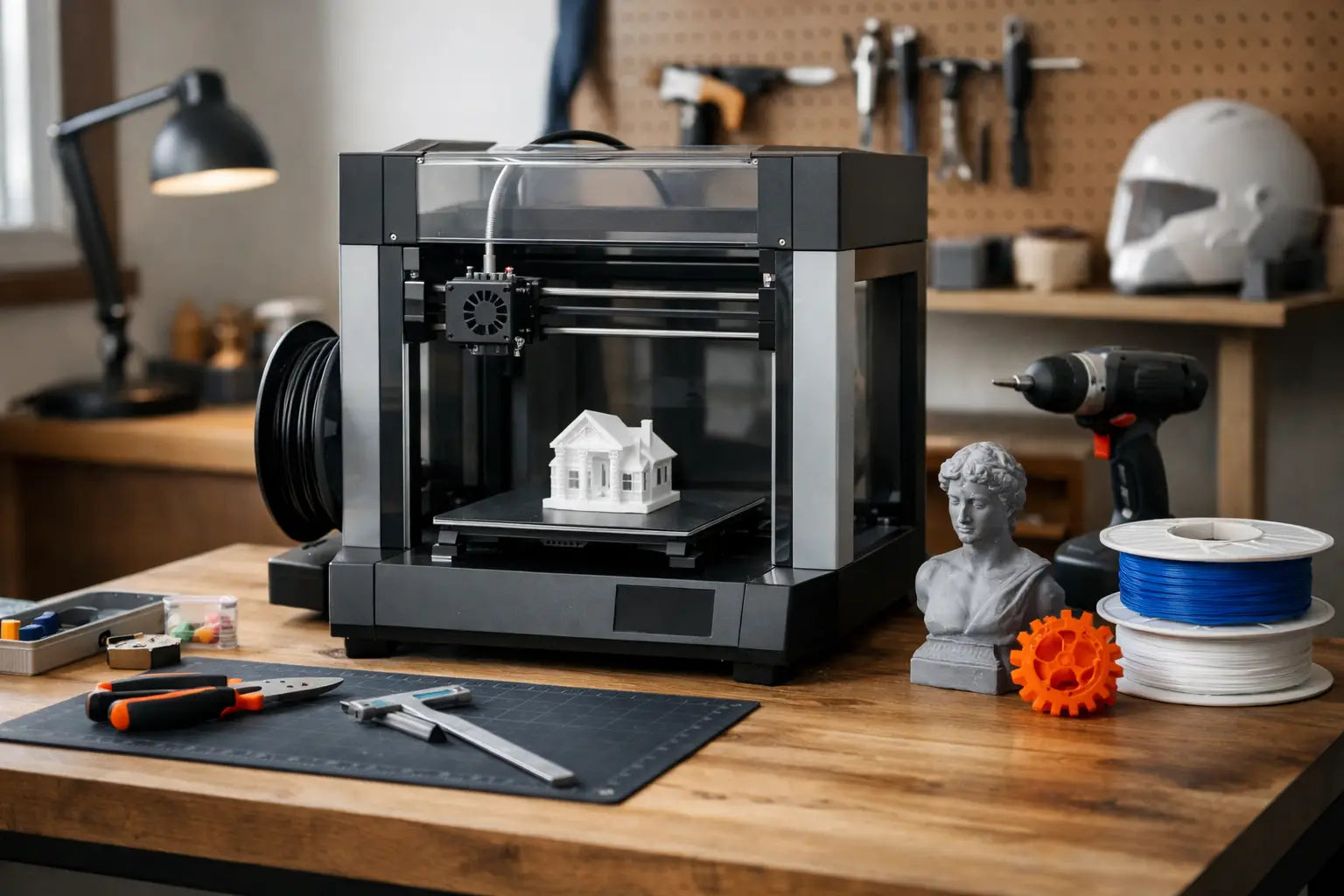
A home workshop changes fast once a 3D printer shows up. What used to be a bench full of sketches, off-the-shelf brackets, and half-finished fixes becomes a space where you can prototype a part in the morning, test it after lunch, and improve it before dinner. That is why choosing the best 3d printer for home workshop use is less about hype and more about fit. The right machine should match your space, your projects, and the way you actually build.
For some buyers, that means speed and convenience. For others, it means material flexibility, larger build volume, or cleaner dimensional accuracy for functional parts. If you are outfitting a serious maker setup, the goal is not simply to buy a popular printer. It is to invest in a tool that earns a permanent spot in your workflow.
What makes the best 3d printer for home workshop use?
A home workshop printer has to do more than print novelty models. It should handle repeat jobs, withstand regular use, and support the kind of practical output that makers, hobbyists, and home-based professionals actually need. Think tool holders, drill guides, cable organizers, enclosures, replacement knobs, jigs, brackets, housings, and low-volume prototypes.
That is why reliability usually matters more than flashy specs. A machine with a giant touchscreen and impressive marketing claims is not automatically a better fit than a quieter, well-tuned model that prints accurately week after week. In a workshop, consistency saves time. Failed prints waste material, interrupt momentum, and turn an exciting purchase into another machine that needs babysitting.
The best options also strike a balance between performance and livability. A great workshop printer should feel capable without becoming a burden. If it is too loud, too finicky, or too large for your space, even strong print quality may not be enough.
Start with the projects you actually plan to print
Before comparing frame styles or nozzle temperatures, define the work. If your main goal is printing organizers, fixtures, and custom parts for tools, an FDM printer is usually the most practical starting point. It is cleaner to manage than resin for most garages and hobby rooms, and it handles durable materials more naturally for workshop tasks.
If your work leans toward miniatures, highly detailed display pieces, or small cosmetic prototypes, resin may look tempting. The detail is impressive, but the trade-off is mess, ventilation, post-processing, and more chemical handling. For many home workshop owners, that extra complexity pushes resin into a secondary machine category rather than the primary printer.
Project size matters too. Small replacement clips and custom adapters do not need a huge build area. But if you expect to print storage bins, larger enclosures, RC parts, cosplay sections, or multi-part jigs, a cramped build volume becomes frustrating quickly. Bigger printers create more flexibility, though they also take up more space and can be slower to heat and calibrate.
The specs that matter most in a home workshop
Print quality gets most of the attention, but workshop buyers should look at the full picture. Mechanical stability, bed adhesion, filament compatibility, and software experience all shape whether a printer feels premium or exhausting.
A rigid frame is one of the biggest upgrades you can buy. Faster printers sound great, but speed only helps if the machine can maintain accuracy under motion. Cheap instability shows up as ringing, layer inconsistency, and more trial-and-error tuning. If you care about functional parts, dimensional confidence matters just as much as smooth outer walls.
Automatic bed leveling is another feature that has moved from luxury to near-essential. In a busy workshop, convenience is performance. You want a printer that gets ready fast and removes setup friction, especially if multiple people may use it or if printing is part of a broader workflow that includes scanning, CAD, woodworking, electronics, or fabrication.
Material support is where a lot of buying decisions should be made. PLA is easy and clean for general use, but many workshop owners eventually want PETG, TPU, ABS, ASA, nylon, or carbon-fiber-reinforced filaments. Not every machine handles those equally well. If you plan to print parts exposed to heat, stress, impact, or outdoor conditions, material capability becomes a core buying factor, not a bonus.
Open frame vs enclosed printer
This is one of the most important decisions for anyone searching for the best 3d printer for home workshop setups. Open-frame printers are often easier to access, easier to maintain, and frequently better value. They are excellent for PLA and PETG, and they fit well in workshops where airflow, temperature, and dust are already managed.
Enclosed printers offer stronger temperature control and better support for materials that warp easily, like ABS and ASA. They also add a measure of safety if children or pets can access the space. If your workshop is in a basement, garage, or multipurpose room with changing temperatures, an enclosure can make a real difference in consistency.
The trade-off is cost and size. Enclosed systems usually command a premium, and some are less convenient to modify or service. If your projects do not require engineering-grade materials, paying extra for a fully enclosed machine may not improve your real results.
How much printer do you really need?
There is a premium sweet spot that makes sense for most home workshops. Entry-level models can produce good prints, but they often require more tuning, more hands-on adjustments, and more compromises in speed or reliability. At the other end, professional and industrial systems offer outstanding capability, yet they can overshoot the needs of a home user by a wide margin.
For most serious hobbyists and creators, the best value sits in the upper consumer to prosumer category. This is where you find stronger frames, better quality control, smarter automation, and support for a wider range of materials without stepping into full industrial pricing. It is also where ownership starts to feel easier. That matters if you want a printer that supports your projects instead of becoming the project.
If you are building a premium home workspace, this is usually the right mindset. Buy the machine you can grow into, not the one you will outgrow after three months of upgrades and workarounds.
Features that are worth paying for
Some upgrades genuinely improve day-to-day use. Filament runout sensors, power-loss recovery, quick-swap nozzles, flexible build plates, and strong onboard monitoring all reduce friction. They are not glamorous, but they save time where it counts.
Network connectivity is another feature that deserves more respect. In a connected workshop, being able to queue jobs, monitor progress, and manage prints without hovering over the machine feels like a quality-of-life leap. It is especially useful if your printer shares space with other gear and you want a cleaner, more streamlined workflow.
What is less essential depends on your priorities. Cameras, advanced lighting, and app ecosystems can be helpful, but they should never distract from the fundamentals. A polished user interface does not make up for poor calibration, weak extrusion, or inconsistent print performance.
Space, noise, and safety are part of the buying decision
A lot of buyers think only about print specs and forget the room itself. Home workshops vary wildly. Some are dedicated garages with plenty of ventilation and bench space. Others are compact utility rooms, home offices, or finished basements where noise and fumes matter more.
If your printer will run near a gaming setup, editing station, or shared living area, acoustics are a real quality factor. Faster machines can be surprisingly loud, and fan noise adds up during long prints. Likewise, if you plan to use higher-temperature materials, think carefully about ventilation and placement before the printer arrives.
Safety should feel built in, not improvised. Stable power delivery, thermal protections, enclosed hot components, and smart material handling all help a machine fit more naturally into a premium home environment. This is one area where spending more often buys real peace of mind.
Who should buy which kind of printer?
If you are a beginner with serious intentions, prioritize ease of setup, auto-calibration, and dependable PLA or PETG performance. You want early wins and fewer frustrating variables.
If you are an experienced maker, look harder at motion system quality, material range, serviceability, and long-term upgrade potential. The best machine for you may not be the easiest machine, but it should expand what your workshop can produce.
If your projects are business-adjacent, such as prototypes, client demos, Etsy products, or low-volume production parts, reliability and throughput move to the front of the line. In that case, speed is valuable, but only if the printer delivers repeatable output with minimal intervention.
That is the lens worth using when shopping with a curated retailer like Your Tech Haven. A well-selected premium catalog can help narrow the field toward machines that match serious home use, rather than flooding you with disposable options that look good on a spec chart and disappoint in practice.
The best 3D printer for your home workshop is the one that keeps pace with your ideas. Choose the machine that fits your space, supports the materials you actually need, and makes you want to build one more thing before the day ends.